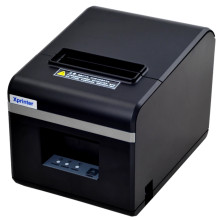
XP-N160II and other similar printers all use the same xprinter drivers that can be download below, the latest version is 8.2 this covers 90mm/80mm/76mm printers. Installation is straight forward on most modern operating systems. For Windows the driver needs to be installed as an administrator. After installation the driver installer app lets you configure your printer.
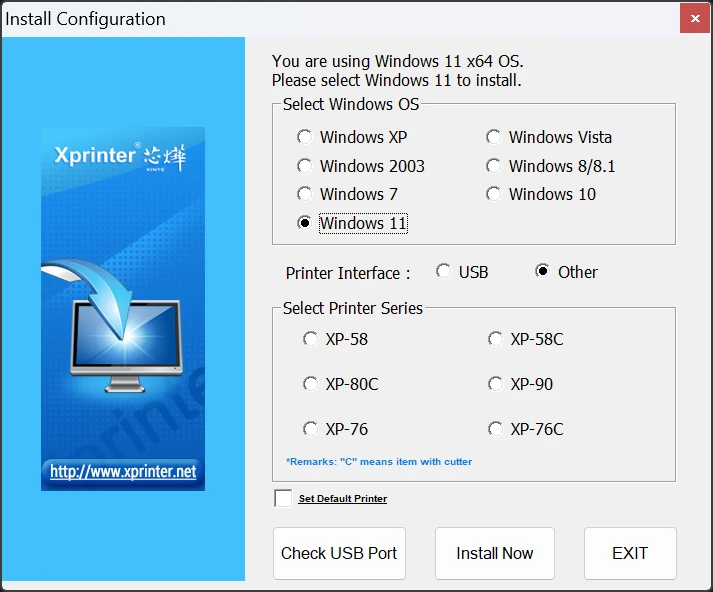
Xprinter Driver 58/76/80/90mm
File: XPrinter Driver Setup V8.2.exe
a84e7cea4fdca8370a7a3d4c858970eb7ac368602b184de8fe06abfb4c653d78
Xprinter Driver 58/76/80/90mm
File: XPrinter Driver V8.0.exe
0bfc7050e69aa27231086d7e2618f74dee1402a4501812ecc4de93310dc8826e
Xprinter Driver 58/76/80/90mm
File: XPrinter Driver Setup V7.77.exe
Xprinter Driver 58/76/80/90mm
File: Mac Driver.zip
3826b0e770672cba4fc68147e24440117d98c0b673e2d9632dc668cf5dc64c06
Xprinter Driver 58/76/80/90mm
File: Mac Driver.zip
Xprinter Print Service
File: Xprinter print service_1.4_new.apk
4c9392e06a97abf9f2aa765ebe08d7e65f72c0568bf84ac243dc7ffff06ea554
Xprinter Driver
File: Xprinter_2022.2.exe
284cc380c5d521bf94bc2ab60859edff07ededfe873ca7109aa8d169caf2efca



