Device
Manufacturer
Model No.
NS-ADAPT35MMBT
Best Buy SKU: 6666176
Network Technology
Frequencies
Interface/port(s)
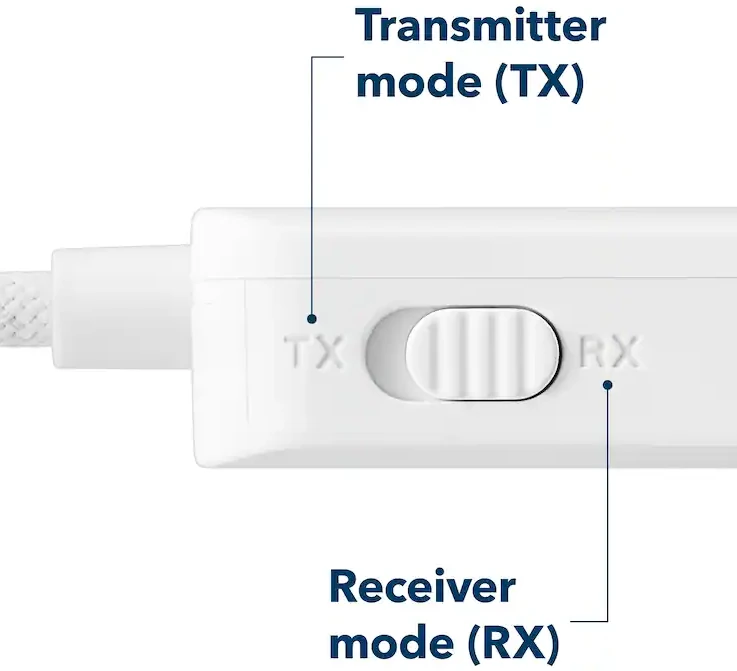
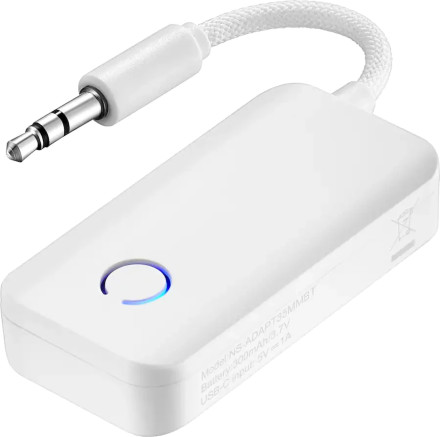
The Insignia NS-ADAPT35MMBT Bluetooth adapter can work in two modes: TX (Transmit) and RX (Receive). The side switch must be set to the correct mode before use.
USB Port
The USB-C port is only for charging the battery. It does not send or receive audio through USB.
TX Mode (Transmit)
Use TX when sending audio from a device to Bluetooth headphones or speakers.
Example: TV → Bluetooth headphones
- Set the switch to TX.
- Plug the 3.5 mm cable into the audio source.
- Put your Bluetooth headphones into pairing mode.
- Pair the adapter.
RX Mode (Receive)
Use RX when receiving Bluetooth audio and sending it to a wired device.
Example: Phone → old stereo
- Set the switch to RX.
- Connect the 3.5 mm cable to your speaker, stereo, or car AUX input.
- Pair your phone with the adapter.
- Play audio.
Remember:
- TX = Sends audio out to Bluetooth devices
- RX = Receives Bluetooth audio and outputs through 3.5 mm
- USB-C = Charging only
Image