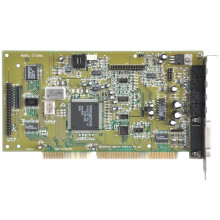
🧱 Device
Series
🏗️ Manufacturer
#️⃣ Model No.
CT1770
CT2230
CT2940
CT2890
CT2840
CT2810
CT2806
CT280
CT2805
CT2804
CT2802
CT2801
CT2800
CT2772
CT2771
CT2CT262
CT2CT261
CT2CT260
CT2963
CT2962
CT2961
CT2951
CT2945
CT2943
CT2942
CT2941
CT2906
CT2901
CT2900
CT2891
CT2892
CT4170
CPU/Chipset(s)
Interface/port(s)
Year
Sound Blaster 16 (SB16) drivers enable legacy audio support on older Windows systems such as Windows 95, 98, and XP. They provide MIDI, digital audio playback, and DOS compatibility, ensuring classic games and software have sound functionality on vintage hardware setups.
Quick Install Guide:
- Install the physical Sound Blaster 16 sound card in your PC.
- Download the .zip file which is suited to your operating system.
- Extract the zip file to a location that is easy to access.
- Run the setup.exe or the install.exe that is in the base of the extracted files.
- Follow the steps to install, then reboot the computer.
Sound Blaster 16 Windows 3.1x Driver
File: SB16W3X.ZIP
SHA-256 Checksum:
fc860c8da651f3bfd54100fac2ac52b12ec19c6f3b28a82c3f389a1db7550473
Sound Blaster 16 DOS Driver
File: SB16DOS.zip
SHA-256 Checksum:
6d49c880150c59d979e584eddba2affa494455321229e0c1469774fd70f5455b
Sound Blaster 16 Windows 98 Driver
File: Sound_Blaster_16-32-AWE_Update_Drivers_for_Win98.zip
SHA-256 Checksum:
24cbc8cedf84f243094e08eaecb84f1d66a43b2d2a1bf9fc7dba87363714a85c
Sound Blaster 16 Windows 95 Driver
File: 95dosapp.zip
SHA-256 Checksum:
6437ec285f8f849d41e7889c338b98010f2f29407a24844a474e1b2c245475d6
Sound Blaster 16 ASP Drivers (3.5" floppy Images)
File: Sound-Blaster-16.zip
SHA-256 Checksum:
da4ade2e16a454abd703810fd5a7d060bc507f61171b7909086938df0cfb63c8
Sound Blaster PCI (WDM) Drivers
File: SBPCI_WebDrvsV5_12_01.exe
SHA-256 Checksum:
81a47afd723990573d55eb5c4dd3ed94b7bd7481d0801192f20acc831fc04dab
📖Documentation/Manuals:



