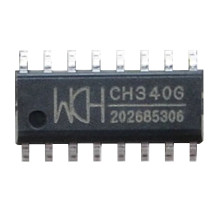
The drivers for the CH340 chipset that was designed by WinChipHead are a requirement for Windows OS to be able to communicate to devices that are connected via it. In particular this chipset is included on boards such as the ESP8266 and the ESP32 for the programming of small projects, robotics and other automated devices. The latest version of the driver that can be downloaded below is 3.8.2023.02 It is important to have the latest drivers installed to ensure compatibility, for much older operating systems from early 2000’s the older legacy drivers will be required.
The following steps are the typical way to install the drivers on modern versions of Windows.
- All drivers are in a zip file, this zip file can be extracted using Windows Explorer or if a third-party extract tool is desired 7-zip is a great alternative and also is free to download.
- Once the files contained in the .zip file have been extracted there will be an installation .exe file located in the folders (directories) you have extracted. This file will need to be run as an administrator.
- Follow any prompts that may come up and connect your device to complete the installation.
(Latest) WCH CH340 Driver
File: CH341SER.ZIP
f70ef90b51aba69bc59afcb395023cb0f41e2a24998f2a47314a71c4a20e8355
(older version) WCH CH340 Driver
File: CH341SER-3.7.ZIP
0b1da457085bdf981ca24de2ab72a24b6460b52375ac886abff0dbec79d360ec
WCH CH340 Driver
File: CH341SER-master.zip
84823fb09d8017c33cc35fb10888c2eef3d55c5cb38a36bf04b012f86d5c0b30
ch340 driver
File: CH341SER.EXE
9cf96fddf474eda80f2b4c09f8ef19443cf6768429819e4cba7b869291b7b8b5
ch340 driver
File: CH341_USB_to_Serial.zip
843763d3d5a984aa58d03213cf02a80954a4c93cf5244558f3363acc7de13e1a



