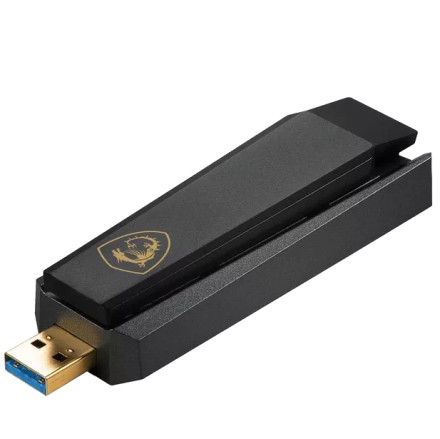
Device
Manufacturer
Model No.
GUAXE54
CPU/Chipset(s)
Interface/port(s)
Operating System(s)
The MSI GUAXE54 (AXE5400) is a USB Wi-Fi 6E wireless adapter that uses the Realtek RTL8852CU chipset. The adapter provides high-speed wireless connectivity and can be used with compatible Windows and Linux systems. The Realtek RTL8852CU driver package provides the required wireless functionality for supported operating systems.
Windows Installation
- Download the MSI_AXE5400_WiFi_USB_Adapter_Driver_Setup_78_24_72.zip driver package.
- Extract the ZIP file.
- Connect the MSI GUAXE54 adapter to a USB port.
- Open the extracted driver folder and run MSI_AXE5400_WiFi_USB_Adapter_Driver_Setup.exe.
- Follow the on-screen instructions to complete the installation.
- Restart Windows when prompted.
- Open Network Settings and connect to your Wi-Fi network.
MSI GUAXE54 (AXE5400) USB Wireless Adapter Driver
File: MSI_AXE5400_WiFi_USB_Adapter_Driver_Setup_78_24_72.zip
SHA-256:
33e62e2af9edc17ab400905fc5f3a59c5cd56673091c55011a4f1cfb100099e3
MSI GUAXE54 (AXE5400) USB Wireless Adapter Driver
File: GUAXE54_linux_v1.19.22-103.tar.gz
SHA-256:
d5cba3273fbff326e46ebe61d48f1ae97b5e1b1a1f1112a13b3df9af3be705eb
HWID(s)



