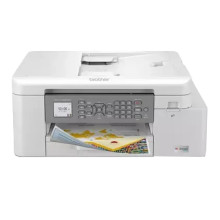
The Brother MFC-J4335DW printer features a 250-sheet capacity paper tray, automatic duplex printing, and a 20-sheet automatic document feeder for efficient document handling. It offers print speeds of up to 22 pages per minute (black) and 20 pages per minute (color), with a maximum resolution of 4800 x 1200 dpi. The printer supports wireless connectivity, including Wi-Fi Direct and NFC, enabling easy printing from smartphones and tablets. It also includes Ethernet and USB connectivity options. With a monthly duty cycle of up to 2,500 pages, the MFC-J4335DW is suitable for small office environments requiring reliable and cost-effective printing solutions.
Brother Full Driver & Software Package
File: Y20B_C1_UWC_PP-usa-inst-C1.EXE
7851d88099f44d2ab50e26fe07bdf3eb0f1339ab8e960d4e9ee5764e1e1660a1
Brother Full Driver & Software Package
File: Inkjet19_4_MiB_UW_NonTouchPanel_102.dmg
ec4d0cfcb8e447d01fca22803958eb49a7d8f544ff17c19f2210553df071f676
What ink cartridges does the Brother MFC-J4335DW use?
- LC406YS Standard-yield Yellow ~1,500 pages
- LC406BKS Standard-yield Black ~3,000 pages
- LC406CS Standard-yield Cyan, ~1,500 pages
- LC406MS Standard-yield Magenta ~1,500 pages



