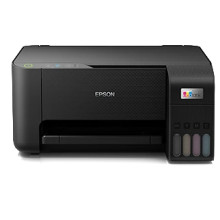
🧱 Device
Series
🏗️ Manufacturer
#️⃣ Model No.
C11CJ68501
Interface/port(s)
Operating System(s)
Drivers for the Epson L3210 are available for Windows 11 through to Windows XP, and for macOS the drivers cover most versions of macOS too. To download the drivers click the links below and save to a location on your computer that you can easily access, run the downloaded file as an administrator or a super user and follow the prompts to install the drivers.
EPSON L3210 Series Print Driver
File: L3210_x64_301JAUsHomeExportAsiaML.exe
SHA-256 Checksum:
99c267d037d9e596ca59a26c2c0643d060923808f7fcc85e46b20ba82d34d413
EPSON L3210 Series Print Driver
File: L3210_x64_301JAUsHomeExportAsiaML.exe
EPSON L3210 Series Scanner Driver
File: L3210_x86_301JAUsHomeExportAsiaML.exe
SHA-256 Checksum:
9b2b3ca8c821d577a2f7ce23d3b1b53ed871b576c0e66ddf6a307e19d44762e5
EPSON L3210 Series Scanner Driver
File: EpsonScan2_L3210_6499_41.dmg
SHA-256 Checksum:
dd9692a072a69e152ce97efced4ed40e48a1b9a75def6ba100668e67675954de
EPSON L3210 Series Printer Driver
File: ET-4800Series_1262AW_42.dmg
SHA-256 Checksum:
f69359b112c9731261e6341accc7dc5772f405ce0f7ba99255d0de16c11f007a



