Home
Device Drivers
Guides & Tech support

Main Menu

  • Devices
  • Manufacturers
  • Chipset DB
  • Online Tools

Sound Cards/Media Devices

Sound Cards/Media Devices Drivers

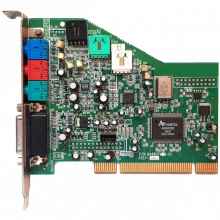
A sound card (also known as an audio card) is a computer expansion card that facilitates the input and output of audio signals to and from a computer under control of computer programs. Typical uses of sound cards include providing the audio component for multimedia applications such as music composition, editing video or audio, presentation, education, and entertainment (games). Many computers have sound capabilities built in, while others require additional expansion cards to provide for audio capability.

(hp) Realtek High-Definition (HD) Audio Driver (6.0.9752.1 REV.D) Windows 11
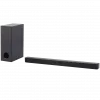
onn. 100069413 Sound Bar
Realtek I2S Audio Codec Device Drivers (10.0.17763.28) Windows 11 arm64
Qualcomm® Aqstic™ Audio Adapter Device Drivers Windows 11 arm64 (1.0.4032.4600)
(Dell) IDT 92HD79B1 Driver (Windows 7/Vista/XP) 6.10.0.6289, A03
Insignia NS-PCS219 Speakers
Tecknet EGH01928 Gaming Headset
(HP) IDT High-Definition (HD) Audio Driver (Windows 7/Vista/XP)
Realtek High Definition Audio 6.0.1.7083
Intel® Smart Sound Technology (Intel® SST) 10.25.0.8130 (Windows 10 x64)
Realtek I2S Audio Codec Media Driver 10.0.10586.4492
Realtek I2S Audio Codec Media Driver 10.0.10586.4492 (Windows 10 x64)
Insignia NS-2810BT Portable Speaker System

Pagination

  • First page « First
  • Previous page ‹‹ previous
  • …
  • Page 5
  • Page 6
  • Page 7
  • Page 8
  • Current page 9
  • Page 10
  • Page 11
  • Page 12
  • Page 13
  • …
  • Next page ›› More
  • Last page Last »

User account menu

  • 📝 Signup!
  • Log in

OEMDrivers Discord OEMDrivers Reddit OEMDrivers X OEMDrivers Instagram OEMDrivers Facebook OEMDrivers YouTube 

💡 Tips On Searching OEMDrivers.com 🎮 Have a break, play a retro game! 🎬 Meet Daniel founder of OEMDrivers.com

How many monitors do you use?

Results

1 Monitor, it is all I need.
47% (82 votes)
2 Monitors, I need more room to work.
17% (29 votes)
3 Monitors, it covers everything.
3% (6 votes)
4+ Monitors, 3 just isn't enough.
33% (57 votes)
Total votes: 174

OEMDrivers Discord OEMDrivers Reddit OEMDrivers X OEMDrivers Instagram OEMDrivers Facebook OEMDrivers YouTube 

All other trademarks, logos and brand names shown on this website other than stated are the sole property of their respective companies and are not owned by oemdrivers.com. Information on the oemdrivers.com may not be duplicated without permission. oemdrivers.com is not responsible for any damages or losses that may arise from incorrect driver installation. Only install drivers if you are qualified to do so.

About - Terms of Use - Privacy Policy & Cookies - Copyright Policy - Contact - ©2018 - 2026  WONTEK LLC