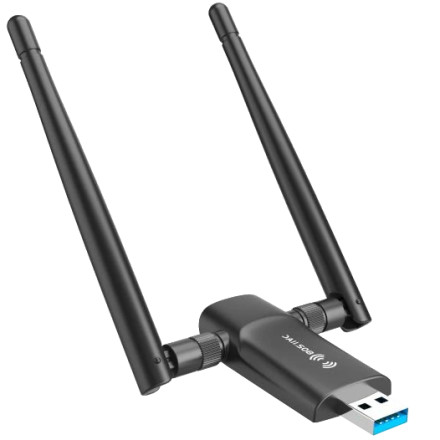
🧱 Device
🏗️ Manufacturer
#️⃣ Model No.
AC1200
CPU/Chipset(s)
🛜 Network Technology
Port(s)
FCC ID
2AYQ6-WIRELSSAC1200
Operating System(s)
The Nineplus USB WiFi Adapter 802.11AC 1200Mbps can be used on Windows, Mac, and Linux/Android devices with the correct drivers installed.
Quick Install Guide:
- Download the drivers below for your OS or from the Realtek RTL8812BU page.
- Extract the drivers to a location that you can access with ease like the desktop.
- Plug in the Nineplus USB WiFi Adapter
- When asked for the drivers, you can point to the extracted drivers.
Realtek RTL8812BU/AU Driver
File: RTL8812BU-AC1200M for Windows-11.zip
SHA-256 Checksum:
2200a869bbbcd7bfe485a6cc1081351a01ddbd2220311e3dc2dc50c9359d4386
Realtek RTL8812BU/AU Driver
File: RTL8812BU-AC1200M for Windows.zip
SHA-256 Checksum:
0a1dd46502e88c7830fabe5db74302f9fedc8a2d0999055aeb5c560bc0832083
Realtek RTL8812BU/AU Driver
File: RTL8812BU-AC1200M for MacOS 10.9-10.15.zip
SHA-256 Checksum:
790a3636ea98585857afd35d030b6fc13881289f5ba551b91a65b9013375954c
Realtek RTL8812BU/AU Driver
File: RTL8812BU-AC1200M For Linux.zip
SHA-256 Checksum:
afdc85017889fd9e3d73a7aeb13aafc35f0eb650992e310894650b2633202c15



