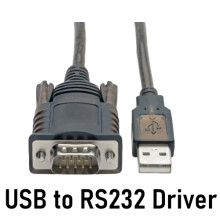
Drivers are required for a USB to RS232 adapter to function on Windows OS. Which drivers are needed to be installed will depend on the chipset that is used in the adapter, and there are several including Prolific, FTDI and others. Installing the drivers is simple click on the link below to your corresponding chipset and download the driver that is designed for your operating system.
- Prolific Chipset Drivers: [Download Prolific Drivers]
- FTDI Chipset Drivers: [Download FTDI Drivers]
If you have a USB adapter with a chipset that we don't have listed please contact us and we will get the driver for you.
Prolific Drivers
File: Prolific Drivers - Windows Drivers.zip
0070f125c5ee58449150011c1b51f49e82609cf9d91eb41cd4ff39035b56414b
Prolific Drivers
File: Prolific Drivers - Mac Drivers.zip
4f245ed459287d161792124514c29da4227b0c82d8fbd62344c142616bc5e8e0
Prolific Drivers
File: Prolific Drivers - Linux Drivers.zip
a649590704900d93ef7a86111137aaa46ed8c22cd2ce6bddf1e56f36ae6746fe
(Old Version) PL2303 Prolific Windows v1.20.0 Driver
File: PL2303_Prolific_DriverInstaller_v1200.zip
5c69a3a56c637456eb7107c1c766c24f3df71d4bc856354ce88db6c142ea0392
(Old Version) PL2303 Prolific MacOS v1.20.0 Driver
File: PL2303HXD_G_Driver_v2_0_0_20191204.zip
e9fdc23d34df7da62e27819906de7d5cf6f0b78d81b3ffe91f9e8c7baf650897
(Old Version) PL2303 Prolific MacOS v1.5.1 Driver
File: PL2303_MacOSX_10_6_and_newer_v1_5_1.zip
2f5ad5c88228820b05cb7fe264b50aee63d5bf47e5228c25c870641b774efe5e
Prolific PL2303 Driver Install Guide
File: um_pl2303_DriverInstaller_v1.4.17.pdf
61d525f2d985421b564dc412234b59ced904698a7738a724e4bf7e99e02345cb



